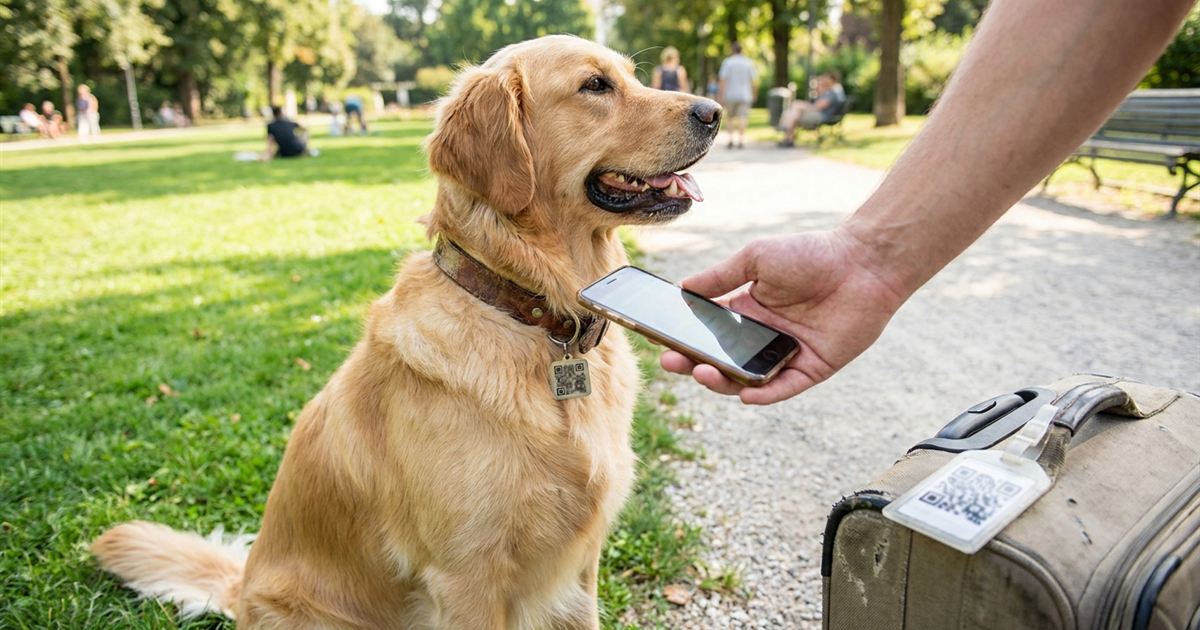
A QR tag on a collar, a suitcase or a set of keys gives a stranger an easy way to reach you without a long address written on the item. It is cheap, it does not need a battery and anyone with a phone can scan it. The EzyIMG Custom QR Code Generator makes a clean, printable tag in a minute. The main decision is what the tag should say, because the code is only as good, and as private, as the information inside it.
Make a QR tag for your pet or luggage
Open the Custom QR Code Generator, FreeWhat a Lost-and-Found QR Tag Is
It is a small QR code, usually printed on a tag, sticker or engraved plate, that opens your contact details or a short message when scanned. The idea is simple: whoever finds a lost dog, a missing bag or a set of keys scans the tag and knows how to reach you. It works well alongside, not instead of, a microchip for pets or a name on the inside of luggage.
Choose What the Tag Should Contain
The tag can hold several kinds of content, and each has a trade-off. Because the code is static, it stores exactly what you type.
- A phone link, using the Phone preset. A finder taps and calls, but your number is stored in the code.
- An email link, using the Email preset. Less urgent but keeps your phone number off the tag.
- A contact card, using the vCard preset. It saves your details to the finder phone, which is more than most owners want to share.
- A web page link, using the URL preset. The page can show your name, a message and contact options, and you can update the page later without reprinting.
- Plain text with a short message, such as If found, please call and a number.
For most people, a link to a simple page you control is the most flexible choice, because you can change the details later. See static vs dynamic QR codes for why that matters.
Think About Privacy Before You Print
Anything stored directly in a QR code can be read by anyone who scans it, including your phone number or email if you put them there. Avoid putting your home address on a tag. Use a number or email you are comfortable sharing publicly, and consider a page that shows a first name and a contact option rather than full details. For luggage in particular, a page or an email is often safer than a full address.
Make the QR Tag Step by Step
- Open the Custom QR Code Generator and choose the preset that matches your content: Phone, Email, vCard or URL.
- Replace the sample with your own details or link.
- Set the error correction level to H, the highest level, since tags get scratched, bent and worn.
- Use dark modules on a light background for the best contrast, and keep the margin around the code.
- Add a short label such as Scan if found so the finder knows what to do. The label appears in the PNG download.
- Download the PNG and print it, or send it to the person who will engrave or print the tag.
How Small Can the Tag Be?
Tags are small, so keep the content short. The less text inside the code, the larger and simpler its squares are, and the easier it is to scan at a small size. A short web link scans more easily than a full contact card. As a rule of thumb, aim for a printed code of around 2 to 3 centimeters on a side and test a printed sample before you make a batch. The guide on QR code print sizes has more detail, and how much data fits in a QR code explains why shorter is better.
Durability: Protect the Code From Wear
- Cover printed paper tags with clear laminate or waterproof tape.
- Use waterproof label stock or engraved metal for pets and outdoor use.
- Keep a spare printed copy and a digital copy of the file in case you need to replace it.
- Avoid curved, glossy or reflective surfaces that bounce light.
- Re-scan the tag every few months to confirm it still works.
Test It Like a Stranger
Ask a friend with a different phone to scan the finished tag. Check that it opens the right action, that the label is readable and that nothing personal appears that you did not mean to share. If it does not scan, this checklist covers the usual causes, and error correction levels explained shows why a higher level helps on worn tags.
More Places a QR Tag Is Useful
- Pet collars and carrier bags.
- Suitcases, backpacks and laptop bags.
- Keychains and bike locks.
- Kids lunch boxes and school bags.
- Tools and equipment. For business assets, see QR tags for inventory and assets.
Frequently Asked Questions
What should I put on a QR tag for my dog?
A phone link or a link to a small page with your first name and contact option. Avoid your home address, and keep a microchip registered as well.
Is it safe to put my phone number in a QR code?
Anyone who scans the code can read it, so only use a number you are comfortable sharing. A link to a page you control gives you more flexibility.
What error correction level should a tag use?
The highest level, H, is a good choice because tags get scratched and worn and a higher level helps the code keep scanning.
How big should the QR code on a tag be?
Around 2 to 3 centimeters on a side is a good starting point. Keep the content short and test a printed sample before you make several tags.
Can I change the details after I print the tag?
Not if the details are stored in the code. A link to a page you control lets you update the information without reprinting.
Decide what the finder should see, pick the preset and generate your tag.
Ready to make your QR tag?
Open the Custom QR Code Generator, Free