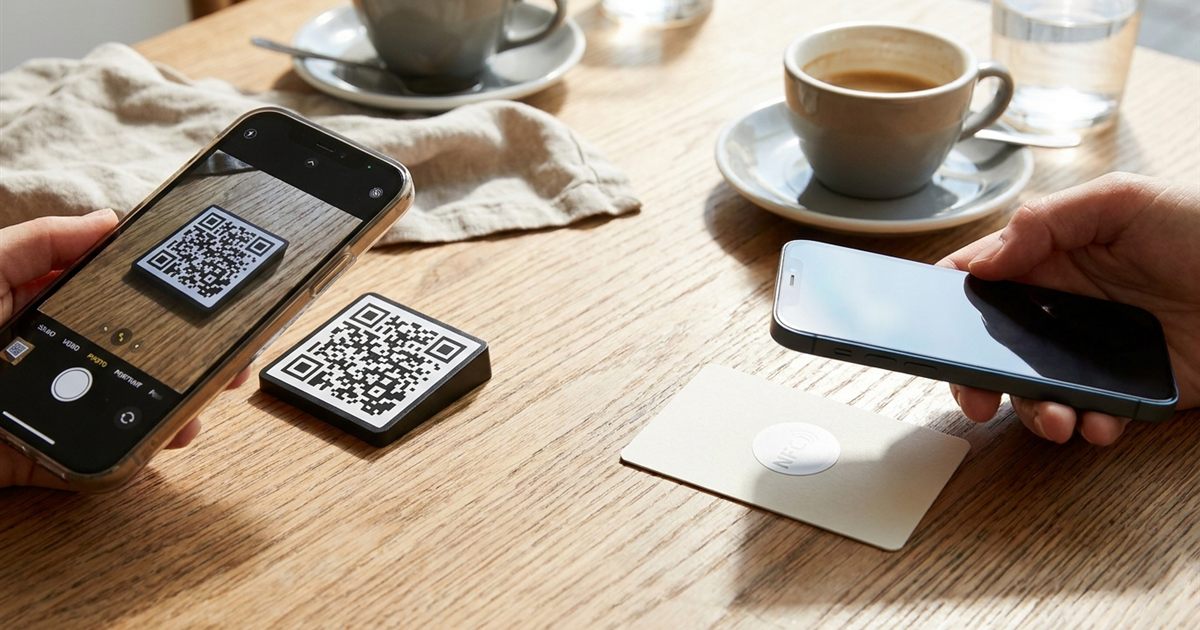
You want people to tap or scan something and land on your link, menu, contact or payment page. Two technologies can do that: the familiar black and white QR code and the small NFC tag you tap with a phone. They look very different, but they solve the same problem, and picking the wrong one costs money or frustrates your audience. This guide compares QR codes and NFC tags on cost, setup, phone support, durability and design, so you can choose the right one for a flyer, a product, a poster or a sign, and see why a QR code is the simplest starting point for most people.
Need a code that works on every phone? Generate your QR code in seconds
Create a Free QR CodeWhat Each One Is
A QR code is a printed pattern that holds data, such as a web address, plain text or contact details. Any phone camera can read it. You can create one for free and print it anywhere, because it is just an image.
An NFC tag is a small chip with an antenna, often built into a sticker or card. Holding a compatible phone near it triggers an action, such as opening a link. It needs a physical tag that you buy and program.
Side By Side: The Main Differences
- Cost: a QR code is free to generate and print. NFC tags cost money per tag and need to be written.
- Phone support: almost every modern phone camera reads QR codes. NFC needs a compatible phone and the feature enabled.
- Distance: QR codes can be scanned from a distance if large enough. NFC needs the phone almost touching the tag.
- Appearance: a QR code is visible and needs space. An NFC tag can be hidden behind a design, though a visual cue is still helpful.
- Durability: printed codes can scratch or fade. NFC tags are more robust but can fail with metal or damage.
- Updating: a printed QR code points to a fixed destination unless you use a redirect. An NFC tag can often be rewritten.
When A QR Code Is The Better Choice
A QR code wins when reach and cost matter most. It works on posters, flyers, packaging, menus, business cards, screens and anything you can print. Someone walking past can scan it from a distance without learning anything new.
- Printed materials: flyers, brochures, posters and mail.
- Large audiences: events, public signs and packaging where you cannot control the phone.
- Tight budgets: you only pay for printing.
- Digital screens: a QR code can be shown on a slide or TV. See how to show a QR code on a slide or screen.
When An NFC Tag Makes Sense
NFC is helpful when a quick tap is more convenient than aiming a camera and when you want a clean look. It is common in payments, access cards, some product authentication and premium packaging. For a business card, an NFC tag can open your contact page with a tap, though a visible QR code remains the safer fallback.
The drawbacks are cost, the need to program tags and the fact that not every phone or user knows to tap. Many brands combine both: an NFC tag with a printed QR code next to it so everyone can use whichever works.
Using Both Together
You do not have to pick only one. A simple, resilient approach is to print a QR code and, where it adds value, place an NFC tag alongside it pointing to the same page. People with older phones or unfamiliar with NFC scan the code, and others tap the tag. Make sure both open the same destination so your results stay consistent.
How To Create A QR Code In A Minute
- Open the QR code generator and paste your link or text.
- Choose colors with strong contrast, and a size that suits your print. See QR code color contrast.
- Pick a higher error correction level if you add a logo. Learn why in QR code error correction levels.
- Download the image as PNG, or choose another format with help from QR code file formats explained.
- Print a test and scan it with two phones before producing a large batch. See how to test a QR code before printing.
Common Mistakes With Both Technologies
- No call to action: tell people what happens when they scan or tap.
- Too small or too low contrast: a code that is hard to scan will be skipped. Check the right print size.
- Putting NFC tags on metal without testing: metal can block the signal.
- Pointing to a slow or unfriendly page: make sure the destination works on mobile.
- Forgetting tracking and updates: if you may need to change the destination later, read static vs dynamic QR codes.
Real World Examples To Picture The Difference
- A cafe table: a printed QR code on the table opens the menu for any customer, with no equipment to buy.
- A product box: a QR code on the back links to the manual and a registration page at essentially no extra cost.
- A conference badge: an NFC tag lets attendees tap to exchange details, with a QR code printed on the same badge as a fallback.
- A storefront window: a large QR code can be scanned from the sidewalk, which NFC cannot do.
Seeing it this way makes the choice practical: ask where the person will be standing and what they will be holding when they interact with it.
A Quick Decision Guide
If you need to reach many people on printed material at a low cost, choose a QR code. If you need a tap experience on a premium product and can afford tags, consider NFC, preferably with a QR code beside it. If you are unsure, start with a QR code: it is free, quick and works for nearly everyone.
Frequently Asked Questions
Is a QR code better than an NFC tag?
It depends. QR codes are free, work on almost every phone and suit printed materials. NFC tags offer a tap experience but cost more and need compatible phones.
Do phones need an app to read QR codes?
Most modern phones can read QR codes with the built-in camera, with no extra app.
Can I use a QR code and an NFC tag together?
Yes. Many brands place both pointing to the same page so every user can choose what works for them.
Are NFC tags more secure than QR codes?
Neither is automatically secure. Both simply open a destination, so always make sure the link goes to a trusted page.
Is the EzyIMG QR code generator free?
Yes, you can create and download QR codes for free with no watermark and no signup.
Ready to create your own QR code?
Create a Free QR Code