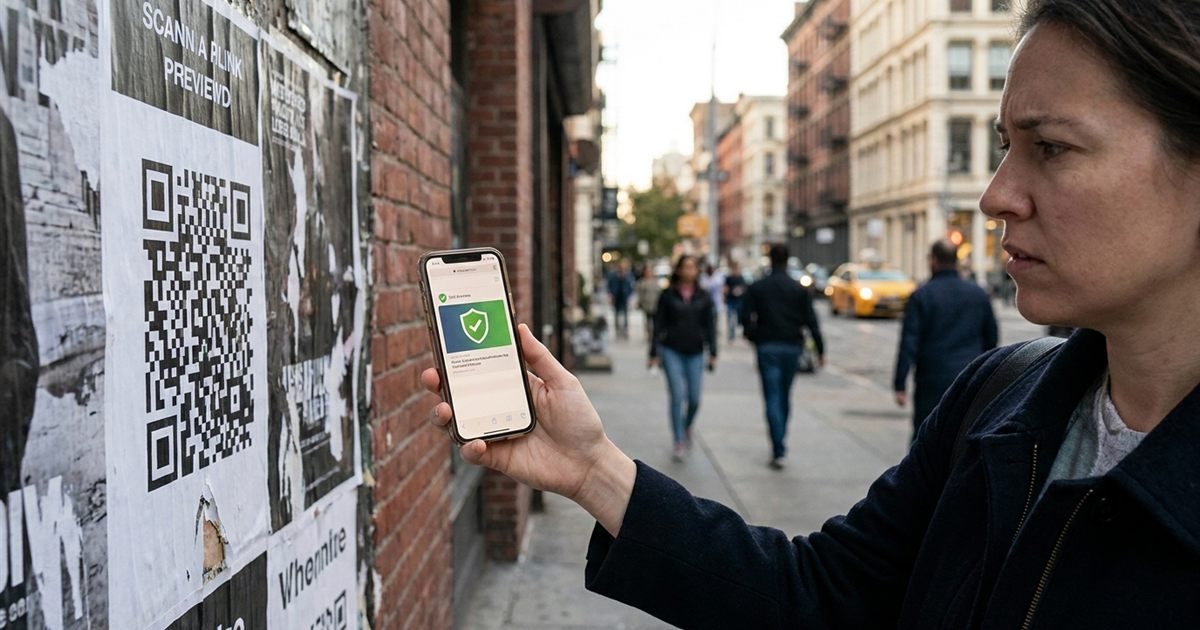
QR codes are everywhere, from menus and posters to parking meters and parcels. They are convenient, but they also make one thing impossible: you cannot read a QR code with your eyes to know where it leads. That has made them a favorite trick for scammers, who stick fake codes over real ones or send them in messages. You do not need to avoid QR codes. You just need a few simple habits before scanning, and, if you make your own, a few choices that make your codes look and feel trustworthy. This guide covers both sides.
Making your own code? Generate a clean, branded QR code in seconds
Create a Trustworthy QR CodeWhy QR Codes Can Be Misused
A QR code is only a container for data, usually a web address. The black and white pattern tells you nothing about where it goes. Someone can print a code and place it over a legitimate one, or send an image of a code that leads to a fake page asking for your login or payment details. The code itself is not harmful; the destination is what matters, and that is what you should check.
Check The Link Before You Open It
Modern phone cameras show a preview of the link after you scan. Read it before tapping.
- Look at the domain: is it the official site you expect, spelled correctly?
- Watch for lookalike names: swapped letters, extra words or strange endings are common tricks.
- Be careful with shortened links: they hide the real destination, so be extra cautious when they come from an unknown source.
- Avoid links that start downloads: a code that immediately wants you to install an app or file should make you pause.
Check The Physical Code
On posters, tables, parking signs and machines, look at the code itself. A sticker placed over another code can have uneven edges, a different paper finish or a slightly raised surface. If a code is on a public surface and seems out of place, treat it with suspicion. When in doubt, use the official website or ask a staff member.
Watch What The Page Asks For
Even if the page looks real, be careful about what it asks you to do. A page that wants your password, card details or a verification code right after a scan deserves caution, especially if the situation felt rushed. Real businesses usually do not need sensitive details from a QR code alone. Open the official site by typing its address, and log in there instead.
Be Careful With Codes You Receive
Codes sent by email or message deserve the same checks as links, perhaps more. If someone unexpected sends a QR code claiming to be a delivery, a bank or an account problem, do not scan it. Contact the company through a known channel. Urgency, threats and prizes are common pressure tactics.
If You Make QR Codes: Build Trust Into Them
If you create codes for a business, you can make them easier to trust, which also helps people scan them more confidently.
- Use your own domain: a link on your recognizable site looks more trustworthy than a long random address.
- Add a label or call to action: a short text such as scan to view the menu explains what the code does. See adding scan me text to a QR code.
- Use your branding: colors and a logo make a code look intentional. Learn how in adding a logo to a QR code.
- Protect printed codes: place them where they cannot be easily covered, or use lamination and a frame.
- Check them regularly: make sure the destination still works and is not changed by mistake.
Create A Clean QR Code Step By Step
- Open the QR code generator and enter your link.
- Use a destination on a domain people recognize.
- Choose clear colors and keep strong contrast. See QR code color contrast.
- Add your logo or label with the custom QR code builder if you want a branded look.
- Test it on two different phones before printing. See how to test a QR code.
What To Do If You Already Scanned A Suspicious Code
If you scanned a code and realize afterward that something felt off, stay calm and act in order. Close the page without entering anything. If you typed a password, change it right away on the real website and on any other account that uses the same one. If you entered payment details, contact your bank or card provider and describe what happened. Keep a screenshot of the page and the link if you can, since it helps when you report it. Finally, run a security scan on your phone if you installed anything, and remove apps you do not recognize.
Acting quickly limits the damage, and reporting a fake code to the business or authority involved helps protect the next person who walks past it.
Teaching Others To Scan Safely
If you manage a shop, school or event, a short note beside your codes goes a long way. A line such as "This code opens our official site" tells people they are in the right place, and a visible web address printed under the code lets careful visitors compare it with the link preview on their phone. Over time these small signals teach your audience that your codes are the ones they can trust.
A Short Safety Checklist
- Read the link preview before opening.
- Check the domain spelling carefully.
- Look for stickers placed over other codes.
- Do not enter passwords or card details from a code you did not expect.
- When in doubt, go to the official site directly.
Staying alert takes a few seconds and removes most of the risk, so you can enjoy the convenience of QR codes without worry.
Frequently Asked Questions
Can a QR code itself be dangerous?
The code only holds data, usually a link. The risk comes from the destination, so check where the link goes before opening it.
How can I see where a QR code goes?
Most phone cameras show a link preview after scanning. Read the domain before tapping to open it.
What are signs of a fake QR code?
A sticker placed over another code, a link with a lookalike domain, a request for passwords or payment details, and messages that create urgency are common warning signs.
How do I make my QR code look trustworthy?
Use your own recognizable domain, add a label that explains what it does, use consistent branding and place it where it cannot be covered.
Is the EzyIMG QR code generator free?
Yes. You can create and download QR codes for free with no watermark and no signup.
Ready to make a QR code people can trust?
Create a Trustworthy QR Code