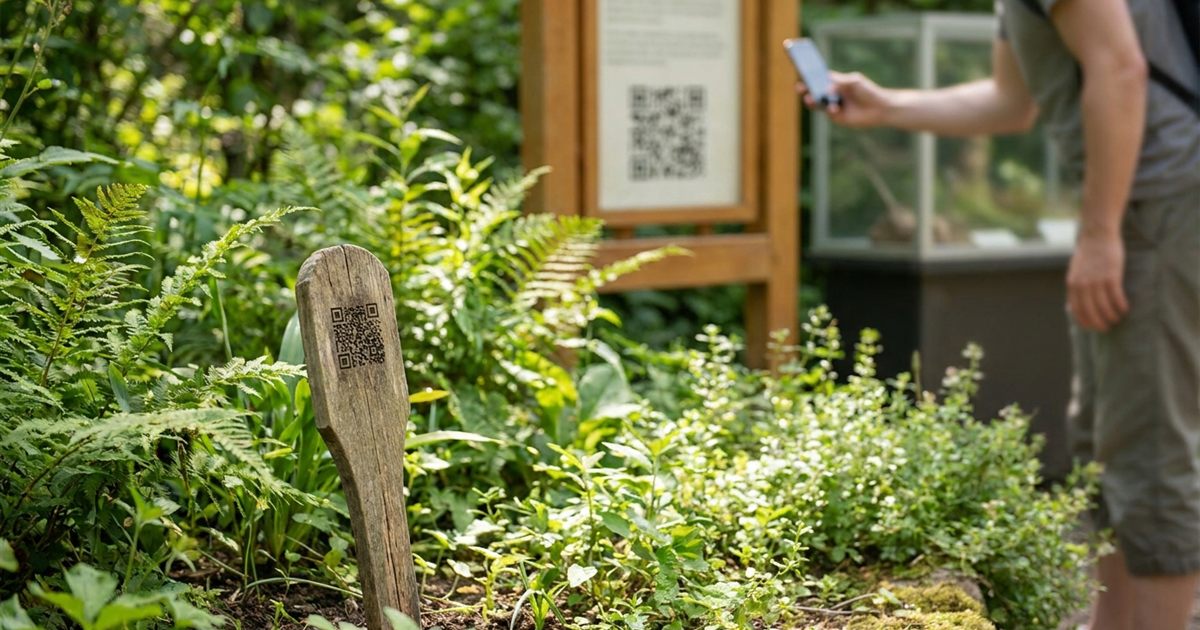
A small plant tag or exhibit card has room for a name and little else. A QR code adds a doorway to everything you could not fit: care instructions, a photo gallery, the story behind an object or a short audio guide. Gardens, nurseries, schools, small museums and community displays all use them. The free Custom QR Code Generator lets you make a code for each label and download it as PNG or SVG for printing.
Create QR codes for your labels and signs
Open the Custom QR Code Generator, FreeWhat You Can Link From a Label
Decide what a visitor should get when they scan, because one label can open only one destination. Keep it useful and quick to read on a phone.
- Plant care: watering, light, soil and seasonal tips on a simple web page.
- Plant identification: the common and botanical names, with a few photos.
- Exhibit stories: a short article or video about the object and its history.
- Audio guides: a page that plays a recording for each stop.
- Translations: a page that offers the same information in more than one language.
- Feedback or a donation page, using a separate code, for visitors who want to give back.
One Page Per Label or One Page for Many?
For a few labels, a simple page for each one gives visitors exactly what they want. For a large collection, create one page per item with a consistent layout, so you can reuse the same structure. The code only stores the address, so as long as the page stays in the same place you can keep improving its content without reprinting anything. For why this works, see static vs dynamic QR codes.
Make a QR Code for Each Label
- Create the web page for the plant or exhibit and copy its address.
- Open the Custom QR Code Generator and choose the URL preset.
- Paste the address and pick dark modules on a light background.
- Add a short label such as Scan for care tips so visitors know why to scan.
- Download the PNG, or the SVG if the label will be printed or engraved at a larger size.
- Repeat for each label, and keep a spreadsheet listing each label and its address.
- If you have dozens, see how to generate many QR codes at once.
How Big Should the Code Be?
On a small plant stake, a code around 2 to 3 centimeters wide is usually workable if the address is short. For an exhibit sign that people read from about an arm's length away, a bigger code of 3 to 5 centimeters is more comfortable. A shorter address makes simpler squares, which scan more easily when printed small. For more on sizes, read QR code size for printing.
Protect Outdoor Labels
Sun, rain and dirt are the enemies of a printed code. A faded or scratched QR code is a dead code.
- Use waterproof label stock, laminate or engraved tags.
- Choose a high error correction level so small damage does not stop the scan; see QR code error correction levels.
- Place the code where it is easy to reach, not buried in leaves or behind glass glare.
- Avoid curved surfaces that distort the squares.
- Check labels every season and replace any that no longer scan.
Design for Clear Scanning
Keep strong contrast and a quiet margin around the code. Pale colors, patterned backgrounds and a code printed directly on a textured surface all reduce reliability. If your label has a decorative color scheme, keep the code itself dark on light. QR code color contrast explains what actually scans.
Be Kind to Visitors Without Signal
Many gardens and some exhibit halls have weak mobile coverage. A page that is light, with small images and plain text, loads faster on a poor connection. Where signal is bad, add a printed sentence of the key information on the label itself, so the code is a bonus rather than the only way to learn.
Test Like a Visitor
Scan each finished label with a different phone, in the lighting where it will hang. Check that the page opens, that it is readable on a small screen and that the information is correct. If a code does not scan, why a QR code will not scan lists the usual fixes.
Frequently Asked Questions
Can I put a QR code on a plant label?
Yes. Link it to a page with care tips or identification details, print it on waterproof label stock and keep the address short so the code stays simple.
How big should a QR code on a plant tag be?
Around 2 to 3 centimeters wide works for most tags if the address is short. Test a printed sample before you make many.
Will rain or sun ruin the QR code?
They can fade or wear it. Use laminated or waterproof labels, choose a higher error correction level and check the labels regularly.
Can I change the page after printing?
Yes, as long as the page address stays the same. You can edit the content of the page without reprinting the code.
Do I need a separate code for each exhibit?
If each exhibit has its own page, yes. Each label should point to the page for that item.
Write a short page for each label, generate the code and test it where it will hang.
Ready to label your garden or exhibit?
Open the Custom QR Code Generator, Free