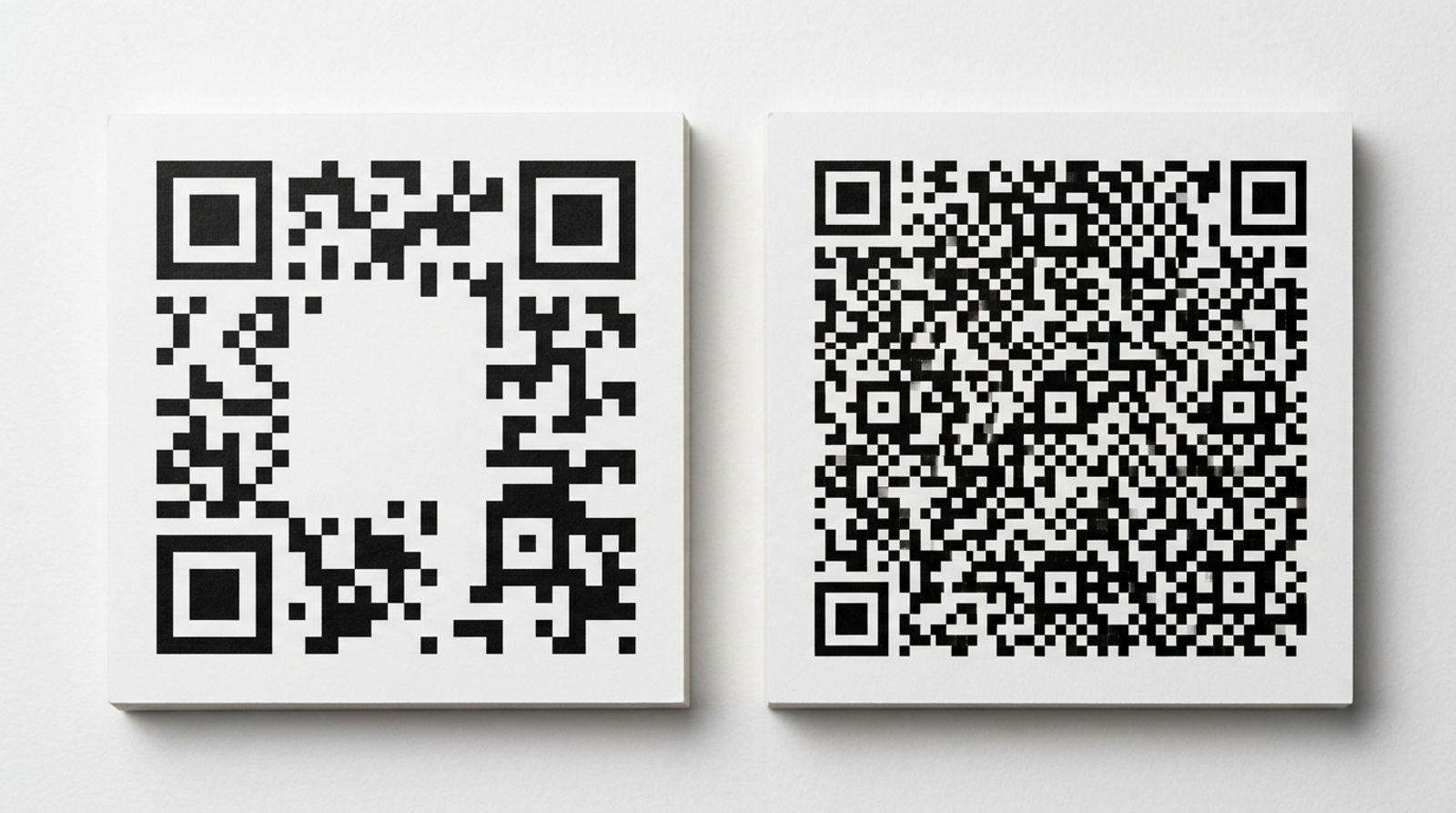
A QR code isn't an unlimited container, it has real technical capacity limits, and going past the practical range makes a code denser and harder to scan reliably. Here's how much data a QR code can actually hold, why the limit exists, and how to keep your codes comfortably inside it.
Generate a code sized right for your content
Open QR Code GeneratorThe Technical Ceiling, and Why It's Not a Single Number
A QR code's maximum capacity depends on its version, which determines the grid size, and its error correction level, which trades some capacity for the ability to still scan when part of the code is damaged or obscured. At the largest version and lowest error correction setting, a QR code can hold up to roughly 4,000 alphanumeric characters or around 2,900 bytes of binary data, but that ceiling drops meaningfully at higher error correction levels or smaller physical sizes.
Why the Theoretical Max Is Rarely the Practical Limit
Most generators, EzyIMG's included, cap the practical range well below the absolute technical ceiling, because a code holding thousands of characters becomes extremely dense, packing in tiny individual modules that need a high-resolution camera and a large print size to scan reliably. In everyday use, a code carrying a URL, a short message, or contact details rarely comes close to the real limit, so this is more of a background fact than a constraint you'll typically hit.
Why a Long URL Is the Most Common Way to Hit It
The most frequent real-world cause of an overly dense QR code is a long web address, especially one loaded with tracking parameters or session identifiers tacked onto the end. A link that looks short in your browser's address bar can actually be several hundred characters once tracking parameters are included, and every one of those characters adds to the density of the resulting code.
The Simple Fix: Shorten the Link Before You Encode It
Running a long destination URL through a link shortener before generating the QR code produces a much shorter string to encode, which results in a noticeably simpler, easier-to-scan pattern at the same physical size. This is the single most effective fix for a code that feels too dense, and it works regardless of what the QR code is ultimately linking to.
Shorten your link first for a cleaner QR code
Open URL Shortener ToolKeeping WiFi and Contact Card Data Concise
WiFi network QR codes and digital business card, or vCard, codes both encode structured text directly rather than a link, which means a long network name, a long password, or an overly detailed contact record with multiple phone numbers and a long address can add up fast. Keep these entries as concise as the underlying network or contact actually requires, rather than including every optional field just because the format allows it.
When You Genuinely Need to Encode a Lot
If your use case truly requires a large amount of text and a link isn't an option, plan on a larger print size and a lower error correction level to keep individual modules big enough to scan, and test the actual printed result at its intended size before finalizing. A code you're only viewing on a screen has more room to be dense than one meant to be scanned quickly from a few feet away on a poster or sign.
Frequently Asked Questions
Do numbers take up less room in a QR code than letters?
Yes, QR codes use different encoding modes depending on the content type, and a numeric-only string encodes more efficiently than mixed letters and symbols, which is part of why the maximum character count varies so much between content types.
Does adding a logo reduce how much data I can encode?
Indirectly, yes. A logo requires higher error correction to remain scannable, and higher error correction reduces the usable data capacity at a given version size, so a heavily branded code has somewhat less room for content than a plain one at the same size.
Will EzyIMG warn me if my content is too long?
The generator adjusts the code's density automatically as you type, so you can watch the pattern get visibly more complex in the live preview as your content grows, which is a good practical signal to shorten it before downloading.
Is there a minimum amount of data a QR code needs?
No, even a single character or a short link produces a valid, scannable code. There's no practical downside to encoding very little data, the density concern only applies as you approach the higher end of the range.
Related tools
- QR Code Generator: Create a free QR code for any link or text
- URL Shortener: Shrink a long link before encoding it