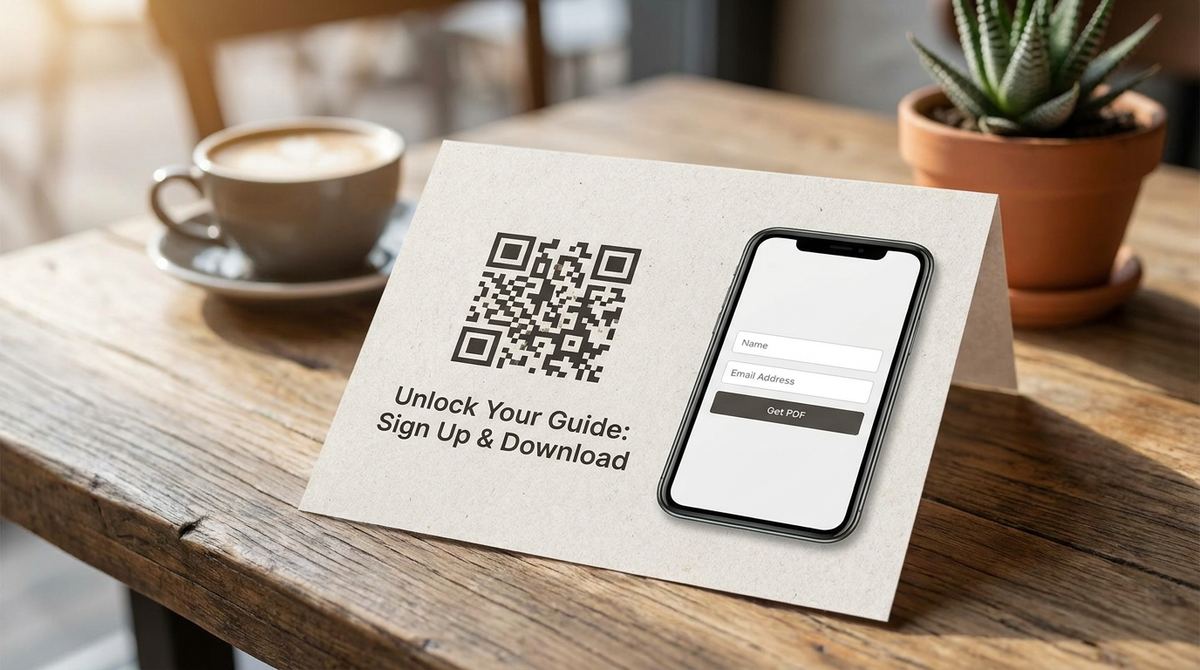
A free checklist, guide, or whitepaper only works as a lead magnet if people actually get it into their hands, and a printed flyer or in-person event has no download button to click. A QR code fixes that gap directly: someone scans it, lands on a page that captures their email, and gets the PDF right after, all without you handing out a single physical copy.
Build your lead magnet QR code
Open QR Code Generator — Free, No SignupDon't Link Directly to the PDF File
The most common mistake is pointing the QR code straight at the PDF itself. That skips the entire point of a lead magnet, capturing an email address in exchange for the download, and gives away the content for free with no way to follow up afterward. Point the code at a landing page with a short signup form instead, and deliver the PDF only after that form is submitted.
What the Landing Page Actually Needs
Keep it minimal: a headline restating what the PDF covers, one or two lines on why it's worth their email, a single form field, and a clear submit button. A page this simple loads fast on mobile, which matters since almost every QR scan happens on a phone, and a slow or cluttered page is a common reason someone abandons the scan before ever getting the download.
Test the Whole Flow From a Phone, Not a Laptop
Scan your own code with your phone before printing anything, and go through the entire flow: landing page, form, confirmation, and the actual PDF delivery. A form that renders awkwardly on mobile, or a PDF that opens in a way that's hard to read on a small screen, undoes all the convenience a QR code was supposed to add in the first place.
Add your brand colors and logo
Open Custom QR Code Builder — FreeMake the PDF Itself Worth the Email Address
A thin, three-page PDF padded with filler text erodes trust fast once someone actually opens it, and that first impression carries into every email you send afterward. Put real, specific, immediately useful content in the guide itself, since the download is the first thing a new contact experiences from you, and a genuinely useful one makes the next email far more likely to get opened.
Where to Actually Put the Code
A lead magnet QR code works best somewhere a person has a spare moment and a reason to want more: the back of a business card, a conference booth banner, a printed handout at a talk, or a slide left up at the end of a presentation. Pair it with a one-line reason to scan, naming the specific guide, rather than a bare code with no context, which most people will simply walk past.
Only Ask for What You'll Actually Use
A form asking for name, email, phone number, company, and job title before releasing a free checklist creates unnecessary friction right at the moment someone was ready to say yes. Ask only for the email address at minimum, and add a second field only if you have a specific, immediate use for that information, since every extra field measurably reduces how many people finish the form.
Following Up After the Download
The download itself is the beginning of the relationship, not the end of it. Have a short follow-up email sequence ready to go once someone signs up, since a lead magnet with no follow-up plan captures an email address and then does nothing useful with it. Even a single follow-up email a few days later asking if the guide was helpful keeps the door open for a real conversation.
Frequently Asked Questions
Should the QR code use a static or dynamic link?
A dynamic link is worth it here, since it lets you update the landing page or swap the PDF later without reprinting the code, which matters for a lead magnet you plan to refresh over time.
Do I need a full landing page builder to make this work?
No, a simple free form tool or a single page on an existing site is enough. The important part is capturing the email before delivering the PDF, not the sophistication of the page itself.
What happens if someone scans the code without a data connection?
The code itself just holds a link, so the destination page still needs an internet connection to load. This is rarely an issue since almost every venue where you'd hand out a lead magnet has WiFi or mobile data available.
Can I track how many people actually downloaded the PDF?
Yes, a form submission count from your landing page tool gives you that number directly, which is a more useful metric than raw scan counts since it reflects actual completed signups.
Related tools
- QR Code Generator: Link to your landing page in seconds
- Custom QR Code Builder: Match your brand colors and add a logo