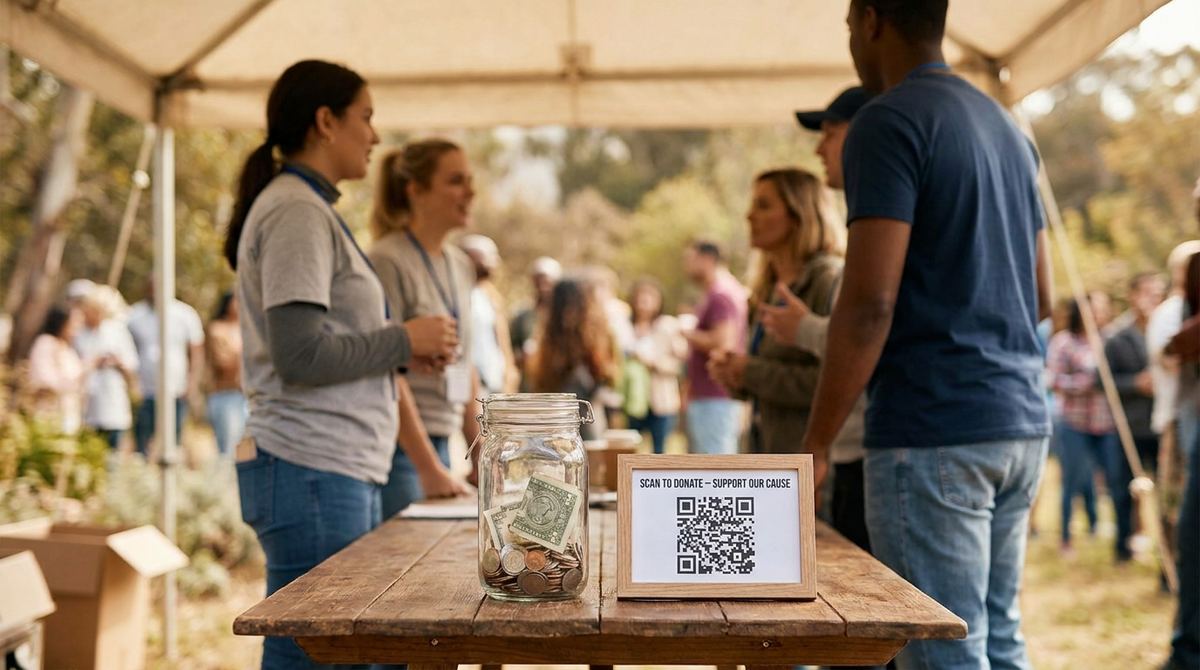
A cash-only donation jar at a fundraising table misses almost everyone these days, since most people simply don't carry cash anymore. A QR code linking straight to your donation page turns that same table into a place where anyone can give in the time it takes to scan and tap, no cash, no card reader, and no separate app required on your end.
Create your donation QR code
Open QR Code Generator — Free, No SignupLink to Your Actual Donation Page, Not Your Homepage
Sending a scan to your organization's general homepage adds an extra click a distracted donor might not bother making. Point the code directly at the specific donation or payment page where someone can enter an amount and give immediately, skipping any navigation in between. The fewer steps between the scan and the completed donation, the more of those scans actually convert.
Where a Donation QR Code Actually Gets Used
Print it on table tents at fundraising events, event programs, thank-you cards mailed to past donors, the bottom of a newsletter, and any physical signage at a charity run or gala. It also works well layered onto a physical donation jar or box as a cashless alternative sitting right next to it, giving people who don't carry cash a real way to still contribute on the spot.
Match your organization's colors
Open Custom QR Code Builder — FreeShowing Impact Increases How Often People Actually Scan
People give more readily when they can picture exactly what their donation does, so a line translating a specific amount into a concrete outcome, meals provided, hours of care funded, supplies covered, tends to outperform a generic call to give. Update that line to match the specific campaign or event whenever you reuse the code, rather than leaving old, less relevant messaging next to a code you print again for a new cause.
Make the Ask Visible Next to the Code
A bare QR code with no context gets scanned far less often than one paired with a short, specific line explaining what it does: "Scan to donate $10 and help feed a family this week" converts better than a code with no label at all. People are more willing to act on a specific, concrete ask than a vague invitation to give, so make that ask visible right next to the code itself.
Contrast and Size Matter More at an Event
Event lighting is rarely as clean as an office, so a low-contrast or overly small code that scans fine on your desk can fail entirely under dim venue lighting or from a normal standing distance. Print it larger than feels necessary and stick to a standard black-on-white or dark-on-light color scheme rather than a heavily branded color combination that reduces scannable contrast.
Testing the Code Before Your Event, Not During It
Scan a printed proof of your donation code with two or three different phones before the actual event, not just your own, since scanning apps and camera behavior vary enough between devices that a code confirmed only on your own phone can still surprise you. A failed scan in front of a willing donor at a live event is a lost donation you don't get a second chance at that same moment.
Following Up With a Receipt and a Thank You
Make sure your donation page automatically sends a confirmation and, where applicable, a tax-deductible receipt right after the gift goes through, since a donor who scans and gives on the spot expects that same instant confirmation, not a delayed email days later. A quick, warm thank-you message on that same confirmation screen goes a long way toward making a donor feel genuinely appreciated, not just processed.
Frequently Asked Questions
Do I need a special payment processor to accept donations this way?
Most nonprofit donation platforms already generate a payment page you can link a QR code to directly, so you typically don't need anything beyond the donation platform you're already using.
Should each fundraising event have its own QR code?
It's worth it if you want to track how much each specific event raises separately, since a unique code per event or campaign makes that comparison straightforward afterward.
Can a QR code let donors choose a recurring monthly gift?
Yes, as long as the donation page itself offers a recurring option, the code simply links to that same page, so any giving option the page supports is available after the scan.
Is it safe to laminate a printed donation QR code for reuse?
Yes, and it's a good idea for signage you plan to reuse across multiple events, as long as glare from the laminate finish doesn't reduce contrast under venue lighting.
Related tools
- QR Code Generator: Link straight to your donation page
- Custom QR Code Builder: Match your organization's branding