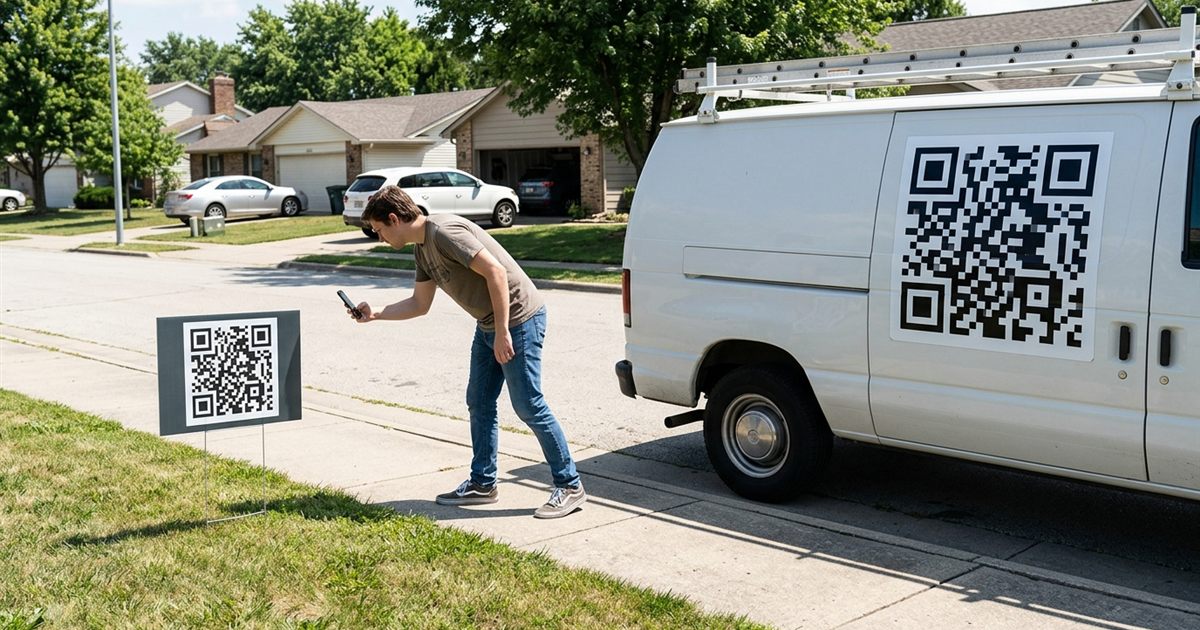
A QR code on a car magnet, a yard sign or a banner turns a passing glance into a visit. Someone walking past a sign for your roofing business, your garage sale or your open house can scan it and have your page, your phone number or your booking form in seconds. But outdoor QR codes fail far more often than the ones on a business card, because of distance, weather, glare and movement. This guide explains how to size and design a code that works outdoors, what to put behind it and how to make it for free with the QR Code Generator.
Make a QR code that scans outdoors
Make Your QR Code, FreeWhere Outdoor QR Codes Make Sense
- Yard signs for real estate, contractors, campaigns and garage sales.
- Magnets and decals on parked vehicles, trailers and food trucks.
- Banners at markets, fairs, school events and sports fields.
- Window signs and sidewalk boards for shops and cafes.
- Fences and construction site signs, with a link to the project or a contact page.
In every case, the person scanning has to stop, stand at a distance and point a phone. That shapes every design decision.
A Safety Rule First: Not for Drivers
A QR code on a moving vehicle is not meant to be scanned by another driver. Nobody should try to scan while driving, and a code that is too small to scan from a moving car is a waste of space anyway. Treat a vehicle code as something for people who are parked, walking or waiting, such as pedestrians, people at a stop light on foot or customers next to a parked truck. Always keep the main message, such as your name and phone number, readable at a glance without a scan.
How Big Should the Code Be
Size depends on the distance from which people will scan. A common rule is that a code scans from about ten times its width. A code that is 10 centimeters wide works from about 1 meter, and a code that is 30 centimeters wide works from about 3 meters. Outdoors, aim a little larger than the rule, because light and angle are less ideal.
- Yard sign seen from a sidewalk: 10 to 20 centimeters, 4 to 8 inches.
- Parked vehicle magnet: 15 to 25 centimeters, 6 to 10 inches.
- Banner seen from a few meters: 30 centimeters or more, 12 inches or more.
- Window sign for people standing at the glass: 8 to 12 centimeters.
For the full table of print sizes, see QR code size for printing.
Keep the Code Simple With a Short Link
The more characters you put in a QR code, the denser the pattern. A dense pattern has smaller squares, which are harder to read from far away. A short link produces a simpler code with bigger squares, and it scans faster from a distance.
- Point the code to a short page on your own site, such as a contact or booking page.
- Avoid long tracking parameters in the link on the printed code.
- If you need more detail, put it on the page, not in the code.
- Do not encode a whole contact card on a sign. A link is enough.
See how much data fits in a QR code for the details.
Contrast, Margin and Materials
Outdoor conditions are harder on a QR code than a paper print. Plan for glare, fading and dirt.
- Use black or a very dark color on a plain white or very light background.
- Keep a clear empty margin around the code. Do not let the edge of the sign, a border or a photo touch it.
- Choose matte material when you can. Glossy surfaces create glare that blocks the code at some angles.
- Use UV resistant inks or laminates for signs that stay out in the sun, because faded codes lose contrast.
- Do not put the code over a busy photo or a pattern.
- Keep the code flat. Wrinkled vinyl or a curved surface can distort it.
More on colors in what actually scans in QR code color contrast.
Make the Code in Your Browser
- Decide where the code should lead, for example your contact page, a listing page or a booking form.
- Open the QR Code Generator and paste the link.
- Use a medium or high error correction level, which helps when the surface gets scratched or dirty.
- Download the code as SVG. A vector file stays sharp at any size, which is important for banners and magnets. PNG is fine for small signs.
- Send the file to the printer, and ask them to keep the code at the exact size and not to stretch it.
The generator runs in your browser and does not add a watermark. If you want colors, a logo or a label such as Scan for a free quote, try the Custom QR Code Generator, but keep the contrast high. See QR code file formats for PNG, SVG and PDF.
Add a Reason to Scan
People scan when they know what they will get. A bare code next to your logo gives them no reason. A short label gives them a clear one.
- Scan for a free quote.
- Scan to see this home.
- Scan to book.
- Scan for the menu.
Place the label near the code in a large, readable font. Remember that the main contact details should still appear in plain text for people who do not scan.
Test and Track
- Print a small test and scan it from the distance of your real sign, with more than one phone.
- Test at different times of day to check for glare.
- Use a different link for each placement, for example one for the yard sign and one for the vehicle, so that you can see which brings visits. How to track QR code scans for free explains the options.
- Check the page on a phone. The page that opens should load fast and be easy to use with one hand.
Also check the local rules for signs and vehicle advertising where you live before you print.
Frequently Asked Questions
How big should a QR code be on a yard sign?
A common rule is that a code scans from about ten times its width. For a sign seen from a sidewalk, 10 to 20 centimeters works well. Go larger if people will be farther away.
Can a QR code on a car be scanned while driving?
No, and nobody should try. Use a vehicle code for people who are parked or walking, and keep your name and phone number readable without scanning.
Which file format should I use for a banner?
Use SVG. It is a vector file that stays sharp at any size, so it prints cleanly on large banners and magnets.
Why does my QR code not scan outside?
Common reasons are glare, low contrast, faded ink, a code that is too small for the distance or a link that is too long. Test at the real distance and make the code larger and simpler.
Ready to put a QR code on your sign?
Make Your QR Code, Free