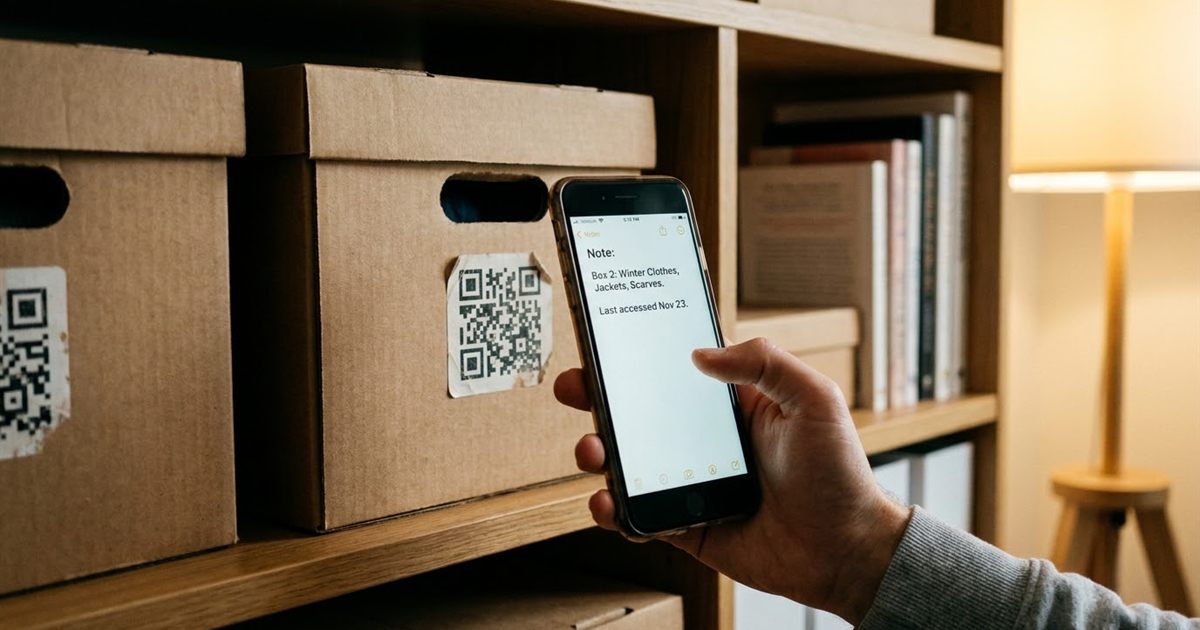
Most QR codes point to a website, but a QR code can also hold plain text. Scan it and the phone shows the words directly, with no link, no page to maintain and no internet connection required. That makes text codes useful for small jobs: a serial number on a device, a short instruction on a locker, a clue in a game or a note you want to hand over without sending a message. This guide explains how plain text QR codes work, what you can put in them, how long the text can be and how to keep the code easy to scan.
Have a short note to share? Turn it into a QR code in seconds
Turn Text Into a QR CodeHow a Plain Text QR Code Works
A QR code is a way of storing characters in a square pattern. When the characters are a web address, a phone camera opens a page. When they are ordinary text, the phone simply displays them and usually lets you copy or share them.
Because the information is inside the code itself, nothing depends on a server. The code works offline, never goes down and cannot be changed after you print it.
Good Uses for Text Codes
- Serial or reference numbers: stick the code on equipment so a person can scan and copy the number.
- Short instructions: "Close the valve before opening the cover" on a machine.
- Locker or room labels: a name and a number that someone can read on their phone.
- Game or classroom clues: see QR code scavenger hunts.
- Personal notes: a short message inside a gift or a card.
How Much Text Fits
More text means a denser code, which needs more space to scan reliably. A QR code can hold a few thousand characters in theory, but short is better in practice. Aim for under about 300 characters for codes that people will scan from a distance or from a small print. How much data fits in a QR code covers the numbers in detail.
- Under 100 characters: very easy to scan at almost any size.
- 100 to 300 characters: fine at a medium size with good contrast.
- Over 300 characters: consider a link instead, or print the code larger.
Create a Text QR Code
- Open the QR Code Generator.
- Type or paste your text into the content field. Keep it short and clear.
- Leave the colors dark on light unless you have a reason to change them.
- Choose the error correction level. M is a good default, and higher levels help if the code may get worn.
- Download the PNG and test it with your phone camera.
The code is created in your browser and the text is not sent anywhere, which is useful for private notes.
Keep Text Codes Scannable
- Write plainly: avoid unusual symbols and very long lines.
- Mind the margin: keep the white border, as explained in the QR code quiet zone.
- Use contrast: dark modules on a light background, as in QR code color contrast.
- Print at a sensible size: QR code size for printing gives practical sizes.
Examples of Text That Works Well
Short, self contained messages are the best candidates for a text code. A few examples show the right size and tone.
- Equipment label: "Pump 3, serial 48213, service every 6 months".
- Storage box: "Winter clothes, size M, packed October".
- Classroom station: "Station 2: measure the length and write it down".
- Gift note: "Open on your birthday, and look under the bed".
Each of these is under a hundred characters, which keeps the code simple and easy to scan from a normal distance.
Privacy and Handling Tips
Because the text is stored in the code and not on a server, there is nothing to log in to and nothing to leak from a website. That is a real advantage for simple notes. The trade-off is that anyone who sees the code can scan it, so avoid putting secrets, passwords or personal details into a code that will be displayed in a public place.
If the content is for one person only, share the image privately, such as in a message or a printed card, and delete extra copies once they are no longer needed.
Make a Test Before You Share
Whatever you are creating, scan the finished code before you rely on it. Check that the text appears exactly as you typed it, including accents and line breaks, and that it is easy to read on a small screen. If a word is cut off or a line looks strange, shorten the message and generate it again. A thirty second test is the difference between a helpful label and a puzzling square.
Text, Link or Contact: Which Format to Choose
- Plain text: best for short, fixed information that should work offline, such as labels, codes and short instructions.
- Link: best when the content is long, changes often or needs images, buttons or tracking.
- Phone or email: best when you want the scanner to start a call or message in one tap.
Picking the format before you design saves a reprint later. When in doubt, ask who will scan it, where and what they should be able to do in the next five seconds.
When a Link Is Better
If the information will change, such as opening hours or a price, a plain text code is the wrong tool, because the printed code cannot be edited. In that case, point the code to a page you can update, or read about static vs dynamic QR codes. For contact details, a phone and email QR code is usually the better choice.
Frequently Asked Questions
Can a QR code hold plain text?
Yes. When scanned, the phone shows the text directly, and most phones let you copy it.
Does a text QR code need internet?
No. The text is inside the code, so it can be read offline with a phone camera.
How long can the text be?
A QR code can hold a lot, but keeping it under about 300 characters makes it easier to scan from small prints.
Can I edit the text later?
No. A static code cannot be changed. Create a new code if the text changes.
Is my text sent to a server?
The code is generated in your browser, so the text stays on your device.
Ready to create a plain text QR code?
Turn Text Into a QR Code