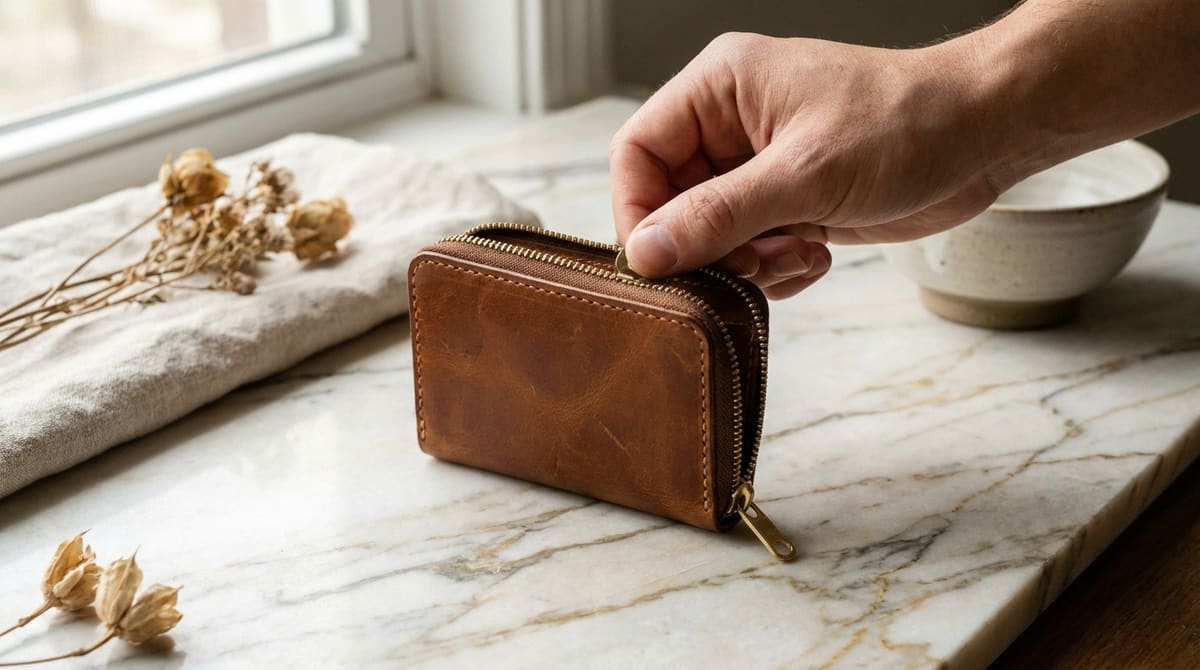
A static product photo shows one angle. A short looping GIF in the same listing slot can show a zipper closing, a lid twisting on, or a piece of jewelry catching the light as it turns, the exact kind of detail a shopper would only get by holding the item in person. Etsy and Shopify both accept GIFs directly in the product gallery, no extra plugin required, but a gif maker built for chat clips needs a few adjustments before it's ready for a storefront.
Build your product GIF now
Open GIF Maker — Free, No SignupWhat Actually Sells: Motion That Shows Function, Not Flash
The GIFs that convert best in a listing gallery are the plainest ones: a clasp opening, a fabric stretching, a candle flame flickering, a mechanism doing exactly what a buyer needs confirmed before they trust the product. Flashy transitions, spinning text, or added filters distract from that confirmation and can read as a cheap ad rather than an honest product shot. Keep the background and lighting identical to your still photos so the GIF feels like part of the same set, not a separate marketing asset.
Sizing for Etsy and Shopify Galleries
- Match your still photo dimensions: A square 1:1 or 4:5 crop, consistent with the rest of your gallery, keeps the GIF from looking cropped oddly when it appears in the thumbnail row.
- Keep the file under roughly 3 MB: Both platforms compress heavier files further on their end, which can visibly soften fine product detail, jewelry texture especially.
- Loop the full motion in 2 to 4 seconds: Long enough to register the action, short enough that a browsing shopper sees the full loop before scrolling past.
Turning a Phone Video Into a Listing-Ready GIF
- Film the action straight on a stand or tripod: Handheld footage introduces shake that a GIF exaggerates far more than a normal video does.
- Open the Video to GIF tool: Go to ezyimg.com/video-to-gif and drop in the clip.
- Trim to just the motion, no dead air: Cut out the seconds before and after the actual action, a listing GIF has no room for setup time.
- Crop to your gallery's aspect ratio: Match whatever ratio your other listing photos already use.
- Export and preview it at thumbnail size: Detail that reads clearly full screen can disappear entirely in a small gallery thumbnail, check both sizes before uploading.
Turn your product video into a GIF
Open Video to GIF — Free, No SignupPlacement: First Slot or Second, Not Buried
A GIF placed after four or five still photos rarely gets seen, since most shoppers stop scrolling the gallery once they've formed an impression. Placing it second, right after your best static hero shot, catches shoppers while they're still actively deciding, and gives the motion a real chance to answer the question a photo alone couldn't.
One GIF per Listing, or Reuse Across Variants?
For a product with color or material variants, a single GIF showing the general motion (the clasp mechanism, the fabric drape) usually covers every variant fine, since buyers are judging the function, not the specific colorway, from the clip. Reserve a variant-specific GIF only for cases where the motion itself actually differs between variants, a stretchy fabric versus a stiff one, for example, where reusing a single clip would misrepresent some of the options.
Naming the file clearly before uploading also saves time later: a filename like product-name-motion.gif is easier to find and swap out in a large shop than a generic export name from your phone, especially once you're managing GIFs across dozens of listings.
Frequently Asked Questions
Do Etsy and Shopify autoplay GIFs in the gallery?
Both autoplay a GIF on loop the moment it's the active gallery image, no click needed, which is exactly why the motion should start meaningfully from its very first frame.
Should I replace my main product photo with a GIF?
No, keep a sharp static photo as the first image, since that's what shows in search results and category grids. Add the GIF as a supporting image in the gallery instead.
Will a large GIF slow down my listing page?
Yes, an oversized file adds real load time on mobile connections. Trimming unnecessary seconds and cropping tightly before export keeps the size reasonable without a visible drop in quality.
What products benefit least from a GIF?
Flat items with no moving part or visible texture change, a printed art print, for example, rarely gain anything from motion and are better served by a few sharp static angles instead.
Related tools
- GIF Maker: Build a listing GIF from a set of photos
- Video to GIF: Convert a product demo clip into a gallery GIF