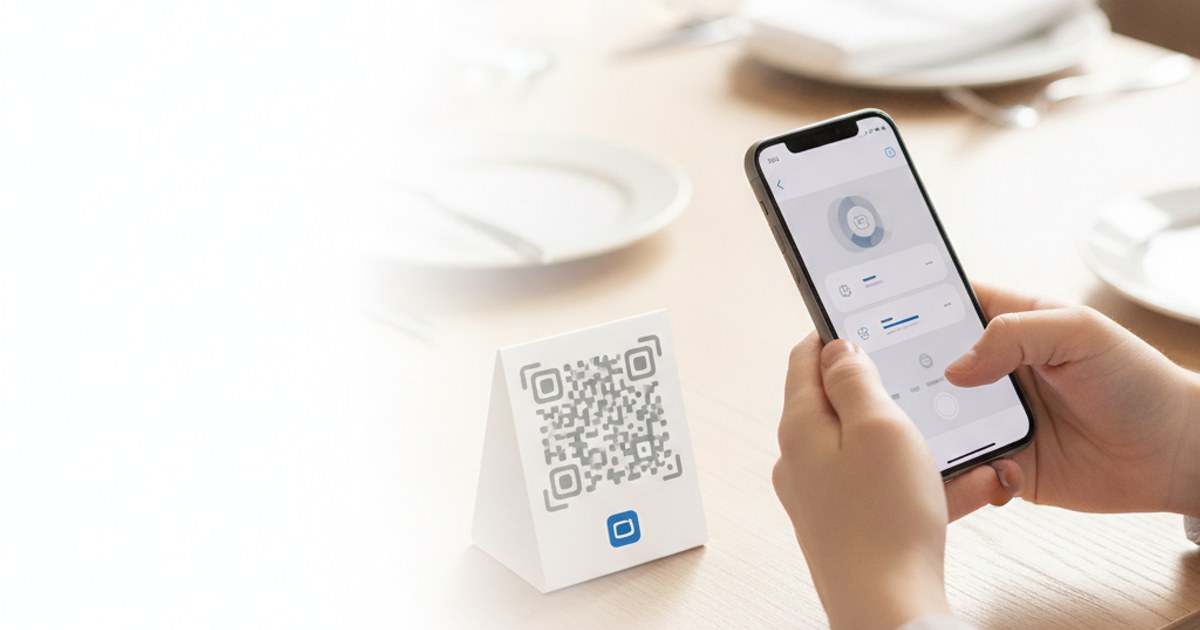
A menu QR code seems like the simplest possible use of a QR code generator, point it at a webpage, print it, done, but the difference between a table tent nobody scans and one that gets used constantly usually comes down to two decisions made before you ever open the generator: what the code links to, and how it's sized and placed on the table.
Generate your menu QR code
Open QR Code Generator — Free, No SignupLink to a Mobile Page, Not a PDF
The single most common menu-QR mistake is encoding a link straight to a PDF export of the printed menu. A PDF built for an 8.5x11 page forces a phone screen into constant pinch-to-zoom, which is exactly the friction a QR menu is supposed to remove. Point the code at a real mobile-formatted webpage instead, even a simple one, since a page designed to be read on a phone with one thumb will get used far more than a document designed to be printed.
One Code Per Table Card, Sized for Arm's Length
A code viewed on a table is typically scanned from roughly arm's length, closer than a poster but further than a phone screen. Printed around 2.5 to 3 centimeters square on a table tent is comfortably scannable at that distance under normal restaurant lighting. Going smaller to fit more design elements on the card is a common cause of failed scans, especially once the card has picked up a few smudges from actual use.
Handling Seasonal or Frequently Changing Menus
- Point the code at a URL you control, not a third-party menu listing:That way you can update the page's content anytime without ever reprinting a single card.
- Keep the URL itself short and stable: Something like yoursite.com/menu rather than a long, dated filename, so the same printed code keeps working indefinitely even as the page behind it changes.
- Update the page, not the code: Since the QR code just encodes that URL, the same printed table tents stay valid for as long as the restaurant exists, regardless of how often dishes rotate.
Create a code that's easy to reprint or reuse
Open QR Code Generator — Free, No SignupMatching the Code to Your Table Setting
A standard QR code, black modules on a white background, holds up better under dim restaurant lighting and against reflective table surfaces than a heavily stylized or colored one. If branding matters for your table cards, a custom QR code builder can add your logo and brand colors, but keep the contrast between the code's pattern and its background high, since that contrast is what actually determines whether a phone camera locks onto it quickly in low light.
Add a One-Line Instruction Anyway
Not every guest immediately recognizes a bare QR code as the menu, especially older guests or first-time visitors. A short line of text next to the code, "Scan for our menu," removes any ambiguity and measurably increases how often the code actually gets used, a small design addition that costs nothing but meaningfully changes guest behavior at the table.
Frequently Asked Questions
Do I need a paid QR code service for a restaurant menu?
No, a standard QR code generator that encodes a URL works fine, since the code itself never expires and the menu page it links to is what you actually update over time.
Should every table have its own unique QR code?
Not for a menu specifically, one code linking to the same menu page works for every table. Unique per-table codes only matter if you're building table-specific ordering or billing on top of the menu.
What happens if a guest's phone has no signal?
The scan itself works offline, since it just reads the pattern, but opening the linked page still needs a connection. Most dining rooms have WiFi or enough signal, but keeping a couple of printed backup menus on hand covers the rare case where neither is available.
Can the same code also collect reviews or feedback?
Not the same code pointing at two destinations, but your menu landing page itself can include a link or button to a review page, which keeps the printed QR code simple while still guiding guests toward leaving feedback.
Related tools
- QR Code Generator: Create a QR code linking to your online menu
- Custom QR Code Generator: Add your restaurant's logo and brand colors