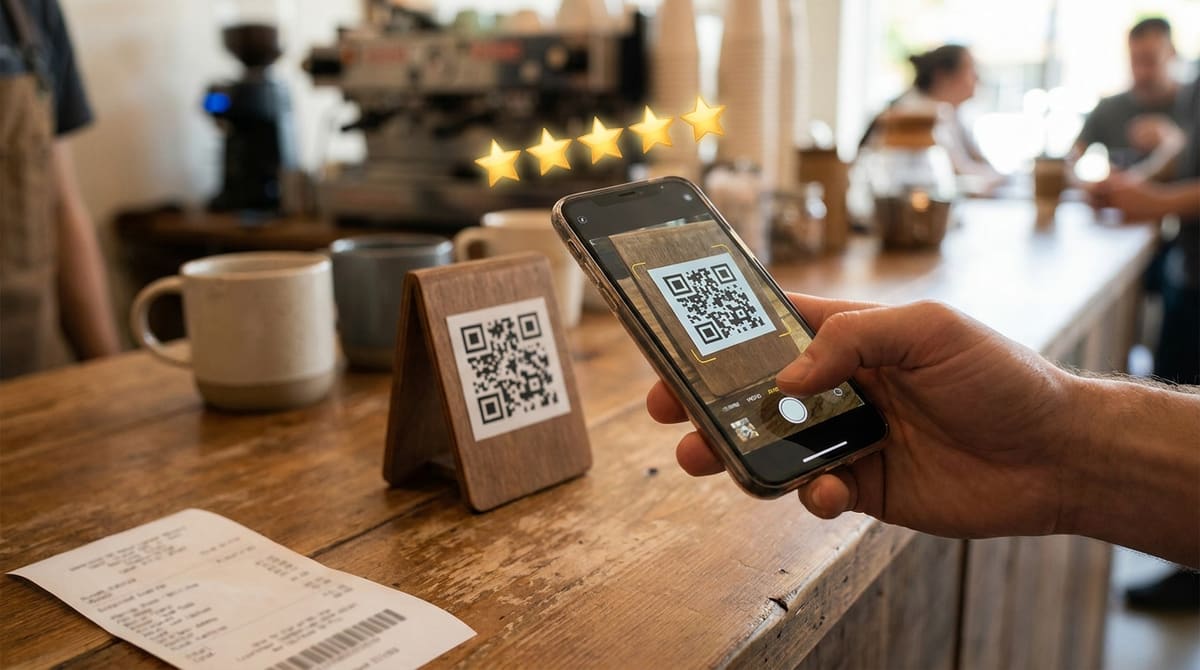
Asking a customer to open Google, search your business name, find your listing, then tap Write a Review loses most people somewhere in that chain. A QR code that opens the review box directly turns a four-step ask into a single scan, and it's the single biggest reason a review QR code tends to outperform a verbal request every time.
Generate your review QR code
Open QR Code Generator — Free, No SignupFinding Your Direct Review Link First
Before generating anything, you need the specific link that opens your business's review composer directly, not just your general Google Business Profile page. Search your business name on Google, open your Business Profile panel, and look for a "Get more reviews" or share option, which generates a short, direct review link. That link, not your homepage or map listing, is what the QR code should encode.
Why a Generic Business Listing Link Underperforms
A code that opens your general Maps listing still requires the customer to find and tap the review section themselves once the page loads, reintroducing most of the friction you were trying to remove. The dedicated review link skips straight to the star rating and text box, which is the difference between someone finishing the review in the moment versus getting distracted and closing the tab.
Where to Put the Code So It Actually Gets Scanned
- The receipt or checkout counter: Catches customers at the exact moment satisfaction is highest, right after a good experience.
- A small table tent or counter card: Visible without needing to be handed to anyone, so staff don't have to interrupt service to ask.
- A follow-up text or email: Works for service businesses where the customer has already left before the job or visit is fully wrapped up.
Add your logo and match your brand colors
Open Custom QR Code Builder — FreeA Note on Review Gating
Google's policies prohibit filtering who gets shown the review link based on how happy they seemed, sending only satisfied customers to the public review page while quietly routing complaints elsewhere. Point every scan at the same direct Google review link for everyone, and handle negative feedback the same way you would if it arrived through any other channel. Some businesses worry an unfiltered link invites more negative reviews, but in practice a genuinely satisfied customer base still produces a mostly positive spread, and a review platform that catches every opinion, good and bad, reads as more trustworthy to future customers than one that looks suspiciously perfect.
Tracking Whether the Code Is Actually Getting Used
A static code encoding your review link directly gives you no scan count of its own, so if you want a rough sense of how often it's used, generate it as a dynamic QR code instead, one that redirects through a short tracked link before landing on the review page. That adds a scan counter without changing anything about the experience for the customer, who still lands on the same review box either way.
Even without formal tracking, a simple before-and-after check works fine for most small businesses: note your review count the week you put the code up, then check again a month later. A clear jump in that window is a good enough signal the code is doing its job, without needing a dedicated analytics setup on top of it.
Whichever way you track it, give the code at least a few weeks of real foot traffic before judging results. A single slow week can look like the code isn't working when it's really just normal week-to-week variation in how many customers came through the door.
Frequently Asked Questions
Does the QR code need to be different for each customer?
No, one static code encoding your direct review link works for every customer and can be printed once and reused indefinitely, as long as your review link itself doesn't change.
Can I offer a discount for scanning and leaving a review?
Google's guidelines prohibit incentivizing reviews in exchange for a discount or reward, since it compromises the review's reliability. It's fine to ask for a review, not fine to pay for one.
What if my business has multiple locations?
Each location has its own separate Business Profile and its own direct review link, so generate one QR code per location rather than reusing a single code across all of them.
Does the code work if someone doesn't have a Google account?
The scan itself always works, but Google requires a signed-in Google account to publish a review, so a customer without one will be prompted to sign in first.
Related tools
- QR Code Generator: Create a code linking straight to your review box
- Custom QR Code Builder: Match your logo and brand colors