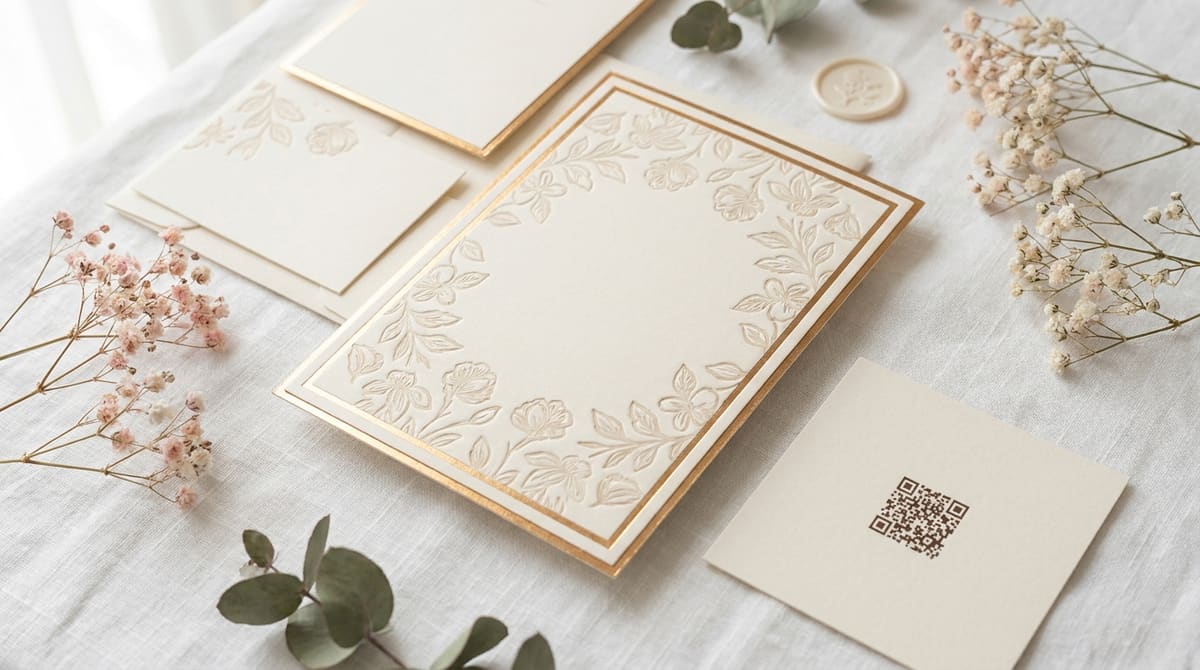
A mailed RSVP card means printing, stamping, and then waiting on the postal service twice, once to send the invitation and once for the reply to come back. A QR code printed right on the invitation replaces that whole round trip with a single scan straight to your RSVP form, wedding website, or registry, and it costs nothing beyond the invitation printing you were already doing.
Generate your wedding QR code
Open QR Code Generator — Free, No SignupWhat to Actually Link the Code To
Point the code at your wedding website if you have one, since it can hold the RSVP form, schedule, registry links, and directions all in one place a guest can revisit later. If you don't have a full site, a simple RSVP form (a free form builder works fine) is enough on its own, guests just need somewhere the code sends them that captures their response.
Printing the Code Without It Looking Out of Place
- Keep it small and in a corner: A code roughly the size of a postage stamp on the RSVP card is plenty for a phone held at normal reading distance.
- Match your invitation's color scheme carefully: A custom-colored code still needs strong contrast between the pattern and its background to stay scannable, don't sacrifice contrast for a perfect color match.
- Add a short instruction line underneath: Older relatives especially benefit from a plain "Scan to RSVP" label rather than assuming the code's purpose is obvious.
Style your code to match your invitations
Open Custom QR Code Builder — FreePlanning for Guests Who Won't or Can't Scan
Not every guest, particularly some older relatives, will feel comfortable scanning a code, so it's worth keeping a traditional mail-back RSVP card as a fallback option rather than going fully digital. Printing the plain URL as text underneath the code also covers guests whose phone camera doesn't recognize QR codes automatically.
Test the Actual Invitation, Not Just a Digital Preview
Scan the code from a real printed proof before your full print run goes out, not just from a screen. Paper stock, ink saturation, and any glossy or textured finish on the invitation can all affect how reliably a camera reads the printed pattern, in ways a digital preview simply can't show you.
Using the Same Code for Save-the-Dates Too
If your save-the-date and formal invitation both point guests to the same wedding website, it's fine to reuse one QR code across both mailings rather than generating a separate one for each. Just make sure the website itself is live and holds real content before the save-the-date goes out, since a code pointing at an empty or unfinished page undercuts the whole point of sending it early.
If your website is still a work in progress when the save-the-date needs to go out, a simple one-page holding site with a note that details are coming soon is far better than a broken link or a blank page, both of which read as an oversight rather than a thoughtful touch.
Give yourself a buffer before the mailing deadline to actually test all of this, the printed code, the live link, the mobile view of your RSVP form, rather than discovering a broken step in the chain after invitations are already in the mail and impossible to recall. A five-minute test run with a code print sample, on the actual paper stock, catches problems no digital preview ever will.
Frequently Asked Questions
Can I use the same QR code for the invitation and thank-you cards?
Since each destination serves a different purpose, RSVP versus thank-you notes, generating a separate code for each keeps guests from landing on the wrong page at the wrong time.
What happens if I change my wedding website link after invitations are printed?
A static code pointing to the old link stops working, so lock in your final website address before printing, or keep the original link active permanently rather than letting it lapse.
Should the code go on the invitation itself or a separate insert card?
Either works, though a separate small insert card is easier to reprint on its own if a detail changes, without needing to redo the entire main invitation.
Is it rude to skip a mail-back RSVP card entirely?
It depends heavily on your guest list's comfort with scanning codes. For a mixed-age guest list, offering both options together is the safer choice over dropping paper entirely.
Related tools
- QR Code Generator: Link straight to your RSVP form or wedding site
- Custom QR Code Builder: Match your invitation's colors and add a logo