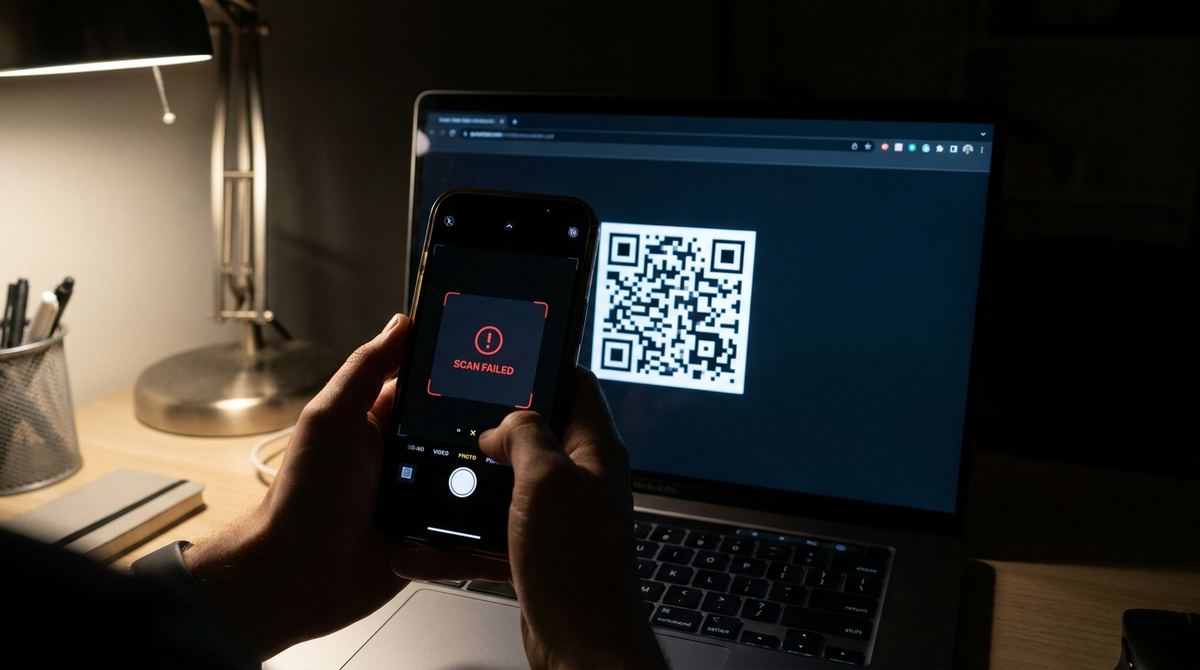
A QR code that scans perfectly on your desktop can suddenly fail the moment someone opens the same page in dark mode on their phone. It's a confusing bug to track down because nothing about the underlying code changed, only how it's displayed, and that difference is exactly what breaks the scan.
Generate a QR code that survives dark mode
Open QR Code Generator — Free, No SignupWhy Dark Mode Breaks a Scan That Worked Fine Before
A standard QR code relies on dark modules on a light background, and a scanner is built to recognize that specific pattern. Some websites and apps apply a blanket CSS color inversion to every image on the page when dark mode is active, which flips a normal black-on-white code into white-on-black. A scanner reading an inverted code often can't recognize it at all, since the pattern it's trained to detect is now backwards.
This Is a Display Bug, Not a Code Problem
The QR code's actual data never changes, it's the exact same working code either way. What's happening is that the page or app rendering it is applying a filter meant for photos and icons to an image that specifically depends on its exact colors to function. It's the digital equivalent of printing a code in reverse and expecting it to still scan.
How to Stop Your Own Site From Doing This
If you're embedding a QR code on a website that supports dark mode, exclude that specific image from any automatic color-inversion CSS you have applied site-wide. Most dark mode implementations use a CSS filter or class toggle that can be scoped to skip particular elements, and a QR code image should always be on that exclusion list alongside any other functional, non-decorative image.
Check your contrast before publishing
Open Custom QR Code Builder — FreeA Simple White Background Frame Fixes Most Cases
If you can't control the surrounding page's dark mode behavior, wrapping the code in a fixed white or light-colored background box, with a bit of padding, prevents it from being picked up by a generic inversion filter targeting the page's background color. This is a common, low-effort fix for QR codes embedded in emails or third-party platforms where you don't control the rendering environment directly.
Testing a Code in Both Light and Dark Mode Before You Publish
Before publishing anything with an embedded QR code, toggle your device or browser into dark mode and scan it again, not just once in your default light setting. This takes a few seconds and catches an inversion problem before it reaches anyone else, rather than after a customer reports that your code "just doesn't work" with no obvious explanation why.
App-Level Dark Mode Can Cause the Same Problem
This isn't limited to websites. Some apps that display user-generated or embedded content apply their own theme-based filters to images rendered inside them, which can invert a QR code the same way a website's CSS filter does. If a code embedded inside a mobile app is reported as unscannable by some users but not others, ask whether they have dark mode enabled in that specific app before assuming the code itself is broken.
Print Materials Aren't Immune Either
This isn't only a screen problem. A designer occasionally inverts a QR code intentionally for a dark-themed flyer or poster, white code on a black background, without realizing that inversion alone can reduce scan reliability on some scanners even when the contrast ratio looks fine to the eye. If you want a code to work reliably in a dark design, test it physically printed at the actual size and material before running a full print job.
Frequently Asked Questions
Can an inverted white-on-black QR code ever scan reliably?
Some modern scanners handle it fine, but reliability drops noticeably compared to a standard dark-on-light code, especially on older phones or budget scanning apps. Standard polarity remains the safer default.
Does this affect QR codes shared as PNG images in messaging apps?
Generally no, since a PNG image keeps its exact original colors regardless of the app's own dark mode theme. This issue is mostly specific to sites and apps that apply CSS-level color inversion to images automatically.
How do I know if my site is auto-inverting images in dark mode?
Switch your device to dark mode and visually check the QR code image. If its colors flip along with the rest of the page's theme, a global filter is being applied and needs to exclude that image specifically.
Is there a way to make a QR code that scans in both color schemes?
The most reliable approach is keeping the code itself excluded from any inversion filter, so it always displays in its original standard colors no matter what theme the surrounding page is in.
Related tools
- QR Code Generator: Generate a standard, reliably scannable code
- Custom QR Code Builder: Check contrast before you finalize colors